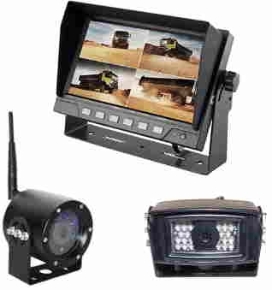
Digital Wireless Receiver and Camera.
Digital Wireless Receiver - Only for the "Larsen" brand standard definition wireless cameras.
Digital Wireless Receiver - for use with displays without wireless capabilities.
You can use the receiver to connect a wireless camera to an existing display - a wired monitor using the round 4 pin camera wire - or - JD, Trimble, and so on.
You might need an adapter cable from your dealer in order to connect to your display, (unless a camera monitor that uses the round 4 pin camera connector) the adapter cable needed is the CabCam brand adapter.
All the "Larsen" brand wireless cameras can be used with the wireless receiver.
To set up the system:
- Connect the receiver to the monitor and power up.
- Connect the camera to power.
- Press the button on the wire from the receiver and hold for around 5 sec. until the screen show that it is pairing.
- Press the "Pair" button with a paper clip or similar on the camera (backside of the camera - small hole)
- The camera and receiver should now be paired and the picture will show on the screen.
- This is a one-time setup. The setting will be stored in the system.
Instructions